Docling to the rescue

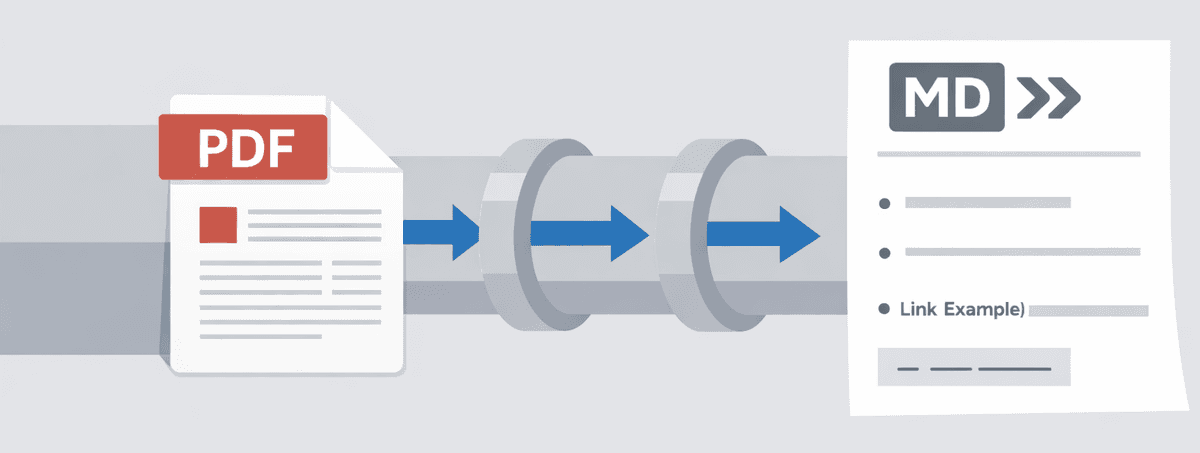
It started with a seemingly straightforward request from an enterprise client: digitize their manual contract management workflow. The task? Ingest massive PDF documents-often exceeding 1,000 pages of dense legal and business norms-and extract specific actionable pointers.
For a human, this process is grueling, often taking anywhere from two days to a couple of weeks per document depending on complexity. The goal was to replace this bottleneck with an intelligent system capable of ingesting these complex documents, identifying key topics, self-validating the findings, and presenting them in a structured, user-friendly format.
In this post, I will focus on the most critical component of this system: the ingestion pipeline. My initial instinct was standard: convert PDF to text, chunk it, embed it, and store it in a vector database-a traditional RAG (Retrieval-Augmented Generation) architecture. It sounded simple enough. But as I soon discovered, when dealing with real-world enterprise documents, "simple" is rarely sufficiently robust.
Constraints
As this was an enterprise client project dealing with highly sensitive contract data, two non-negotiable constraints shaped every architectural decision:
- Zero Data Exfiltration: No data could leave their VPC. This ruled out all cloud-based AI APIs (OpenAI, Anthropic, etc.) and managed vector databases (Pinecone, Weaviate Cloud).
- Infrastructure Simplicity: The client's IT team wanted to minimize the "learning tax" of new infrastructure. They were comfortable with Docker and Postgres but wary of managing new, niche NoSQL databases just for a "pilot project."
The Problem
I started with standard libraries like PyPDF2. While lightweight, they treat PDFs as a linear stream of characters, completely ignoring visual layout. A two-column page becomes a jumbled mess of merged sentences, and tables are flattened into meaningless strings of numbers. They were non-starters for complex legal documents.
My next attempt using unstructured (as shown below) worked better, especially for digital-native PDFs.
from langchain_unstructured import UnstructuredLoader

def clean_text(text: str) -> str:
  """Clean and normalize text by removing extra spaces, newlines, and empty strings."""
  if not text or not text.strip():
      return ""

  # Remove multiple whitespaces and newlines
  text = re.sub(r"\s+", " ", text)
  # Remove leading/trailing whitespace
  text = text.strip()
  # Remove empty lines and excessive spacing
  text = re.sub(r"\n\s*\n", "\n", text)

  return text

def is_valid_content(text: str) -> bool:
  """Check if text content is valid and not empty."""
  if not text:
      return False

  cleaned = PdfParser.clean_text(text)
  return len(cleaned.strip()) > 1  # Minimum content length threshold

file_path = "download/contract.pdf"
elements = UnstructuredLoader(file_path, strategy="auto").load()

pages = {}
for el in elements:
    pages.setdefault(el.metadata.get("page_number", 0), []).append(el)

documents = []
for page, els in sorted(pages.items()):
    text = "\n".join(e.page_content for e in els if e.page_content)
    text = clean_text(text)

    if not is_valid_content(text):
        continue

    documents.append(
        Document(
            page_content=text,
            metadata={
                "source": str(file_path),
                "page_number": page + 1,
                "file_id": file_id,
                "file_name": file_name,
                "date": date,
            },
        )
    )
However, real-world contracts are rarely clean. We encountered:
- Scanned pages: Old agreements scanned at an angle.
- Complex Layouts: Multi-column layouts where reading line-by-line scrambled the logic.
- Information in Tables: Critical financial limits were often buried in tables, which standard text extraction flattened into gibberish.
The "traditional" RAG pipeline was failing because the input quality was poor. Garbage in, garbage out. We needed a solution that was layout-aware.
Solution: Docling
We switched to Docling, a specialized document processing library. Unlike generic OCR tools, Docling understands document structure. It doesn't just see characters; it sees headers, paragraphs, and most importantly, tables.
Here is how we configured the pipeline to force OCR (even on potentially searchable PDFs, to ensure consistency) and extract page layouts:
from docling.document_converter import DocumentConverter, PdfFormatOption
from docling.datamodel.base_models import InputFormat
from docling.datamodel.pipeline_options import (
    PdfPipelineOptions,
    EasyOcrOptions,
    TableStructureOptions
)

# Force full page OCR to catch text in mixed-mode documents
ocr_options = EasyOcrOptions(
    lang=["en"],
    force_full_page_ocr=True,
)

pipeline_options = PdfPipelineOptions(
    do_table_structure=True,
    generate_picture_images=True,  # Crucial for our visual data pipeline
    do_picture_description=True,
    ocr_options=ocr_options,
)

converter = DocumentConverter(
    format_options={
        InputFormat.PDF: PdfFormatOption(pipeline_options=pipeline_options)
    }
)
This configuration gave us a massive win: it preserves tables as Markdown tables, meaning the LLM ("Large Language Model") reads them row-by-row, preserving the relationship between a "Maximum Liability" header and its value "$1,000,000" three columns over.
Handling Visual Data: The "Hybrid" Extraction
Contracts often have scanned signatures, charts, or diagrams. Standard text extraction ignores them. We implemented a multi-modal pipeline:
- Extraction: Docling extracts images and embeds them as base64 in the markdown.
- Contextualization: We wrote a custom processor that extracts the image and the 5 lines of text before and after it.
- Description: We feed the image + context to a local Vision LLM (like qwen3-vl running on Ollama) to generate a textual description.
- Replacement: We replace the base64 image in the document with this detailed description.
This makes visual data semantically searchable in our vector store.
# src/processing/image_processor.py

def extract_context_around_image(markdown_text, image_id, lines=5):
    """
    Finds the image, grabs context lines before/after,
    so the Vision model knows WHAT it is looking at.
    """
    # ... regex wizardry to find markdown image tags ...
    return {"before": text_before, "after": text_after}
Database: Postgres + pgvector
For the vector store, I had to choose between spinning up a dedicated, niche vector DB (like Milvus or Qdrant) or sticking with a proven workhorse.
I chose Postgres with the pgvector extension.
Why?
- Extensible System: Postgres isn't just a relational database; it's a robust data system. It handles JSONB, geospatial data, and now vectors-all in one place. It allows us to extend the application's capabilities (like adding user auth or audit logs) without adding new infrastructure.
- Hybrid Search & Citations: RAG is rarely just "similarity search." We often need to filter by metadata (e.g.,
WHERE file_id > '456' and date > '2025-01-01'). More importantly, storing metadata allows us to provide citations. Every answer the LLM gives links back to the specific chunk, page number, and original file, acting as "proof" of correctness.
We used langchain_community to bridge the gap:
from langchain_community.vectorstores import PGVector

vector_store = PGVector(
    embedding_function=embeddings,
    collection_name="contract_vectors",
    connection_string=settings.database_url,
    use_jsonb=True,
)
Local Intelligence: Ollama
To satisfy the "Zero Data Exfiltration" constraint, we used Ollama. It allows us to run inference servers for open-weight models entirely within the local Docker network.
- Embeddings:
nomic-embed-text(High-quality, long-context text embeddings). - Vision:
qwen3-vl(For describing the complex charts and tables we extracted). - Chat/Reasoning:
qwen3(For the final answer generation).
from langchain_ollama import ChatOllama

def get_llm_client():
    # Connects to the local Ollama instance running in a sidecar container
    return ChatOllama(
        model="qwen3", # Swappable with qwen3-vl for vision tasks
        temperature=0.2
    )
Conclusion
By combining Docling for structure-aware extraction, Postgres for robust storage, and Ollama for local intelligence, we built a RAG pipeline that is both highly capable and completely private. It turns a "dumb" PDF into a structured, searchable knowledge base without a single byte leaving the building. More on the agents that extract, validate and priortize the content, later. Check out the code here: https://github.com/lazzyms/pdf-markdown-embed - FYI, this is not the actual code used, this one is the simplified version of the actual code.