Backchannel: An Offline AI Meeting Notes App for Mac
 Maulik Sompura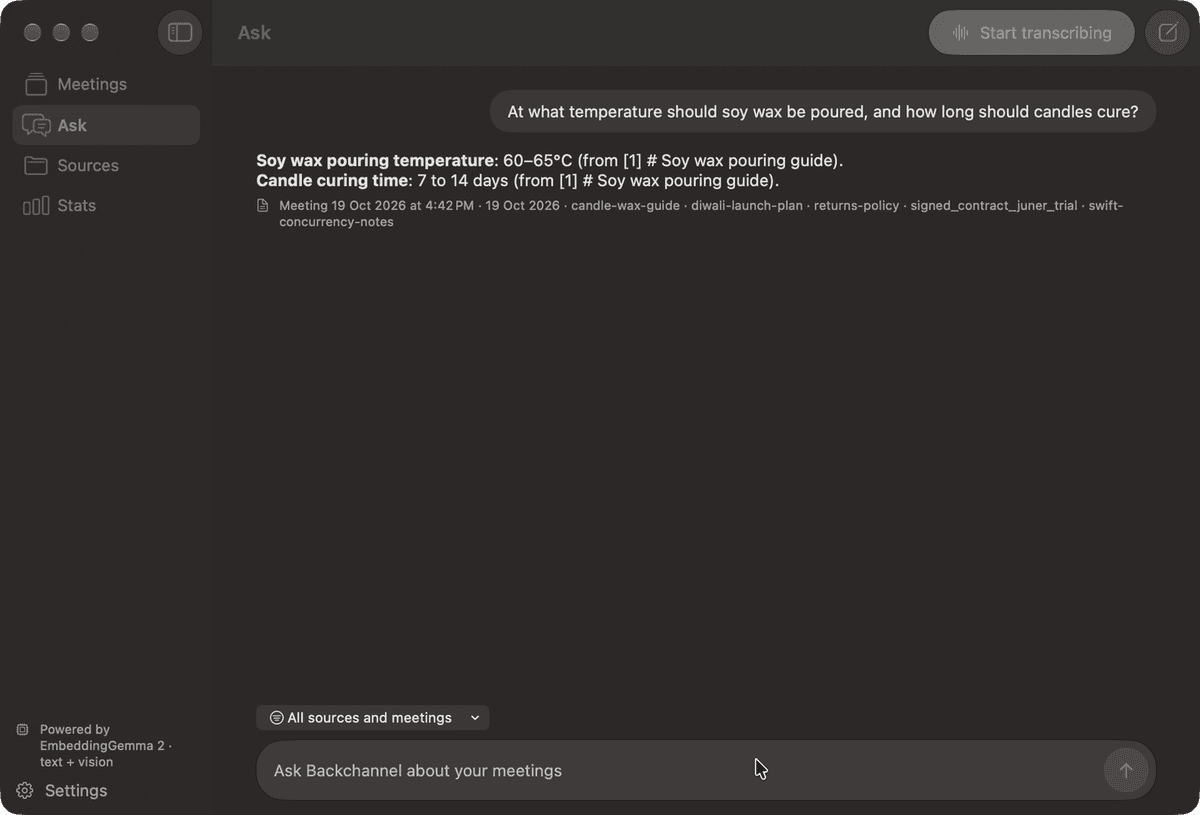
Have you ever been in a meeting where someone asks a question, you know the answer is sitting in a document somewhere, and you just can't find it fast enough? Or you finish a long call and realise you don't remember who promised what?
AI meeting tools solve this, but almost all of them work the same way. A bot joins the call, the audio goes to someone's server, and a summary lands in your inbox. It's convenient, but every meeting, every name and every half-baked idea now lives with a company I don't know. I wanted the useful part, a transcript I can search and ask questions of, without the bot and without the upload. It's the same reason I built Toolbox to work on files locally.
It started when I tried Google's AI Edge Foresight for Mac. It showed that all of this can run on the device itself. I liked the idea so much that I opened up the app bundle to see how it was built, and then built my own version in native Swift, for one user who never has to sign in. I called it Backchannel, after the side conversation that happens next to a meeting.
Constraints
Three rules shaped every decision:
- Nothing leaves the Mac. No server, no account, no analytics. The only network calls are one-time model downloads, plus your own chat endpoint if you choose to set one.
- Nothing joins the call. It should work with Zoom, Meet, Teams or anything else that plays audio, without the other side seeing a bot.
- It never stops on its own. Foresight ends a session after a stretch of silence, and that cut my meetings short. Backchannel keeps going until I press Stop.
What Backchannel does
The app has four pages: Meetings, Ask, Sources and Stats.
- Live meetings. Press Start transcribing (⇧⌘R) and it listens to your microphone and to the Mac's system audio, so it hears both sides of the call. A small floating capsule shows the timer and a Stop button over any app, even full-screen ones.
- Speaker names. When the meeting stops, the other side of the call is split by voice and each line gets a speaker. Voices are matched against earlier meetings, so once you rename "Speaker 2" to a real name, it sticks everywhere.
- Summaries. An overview, topics, key points and action items with owners, written as soon as the meeting stops.
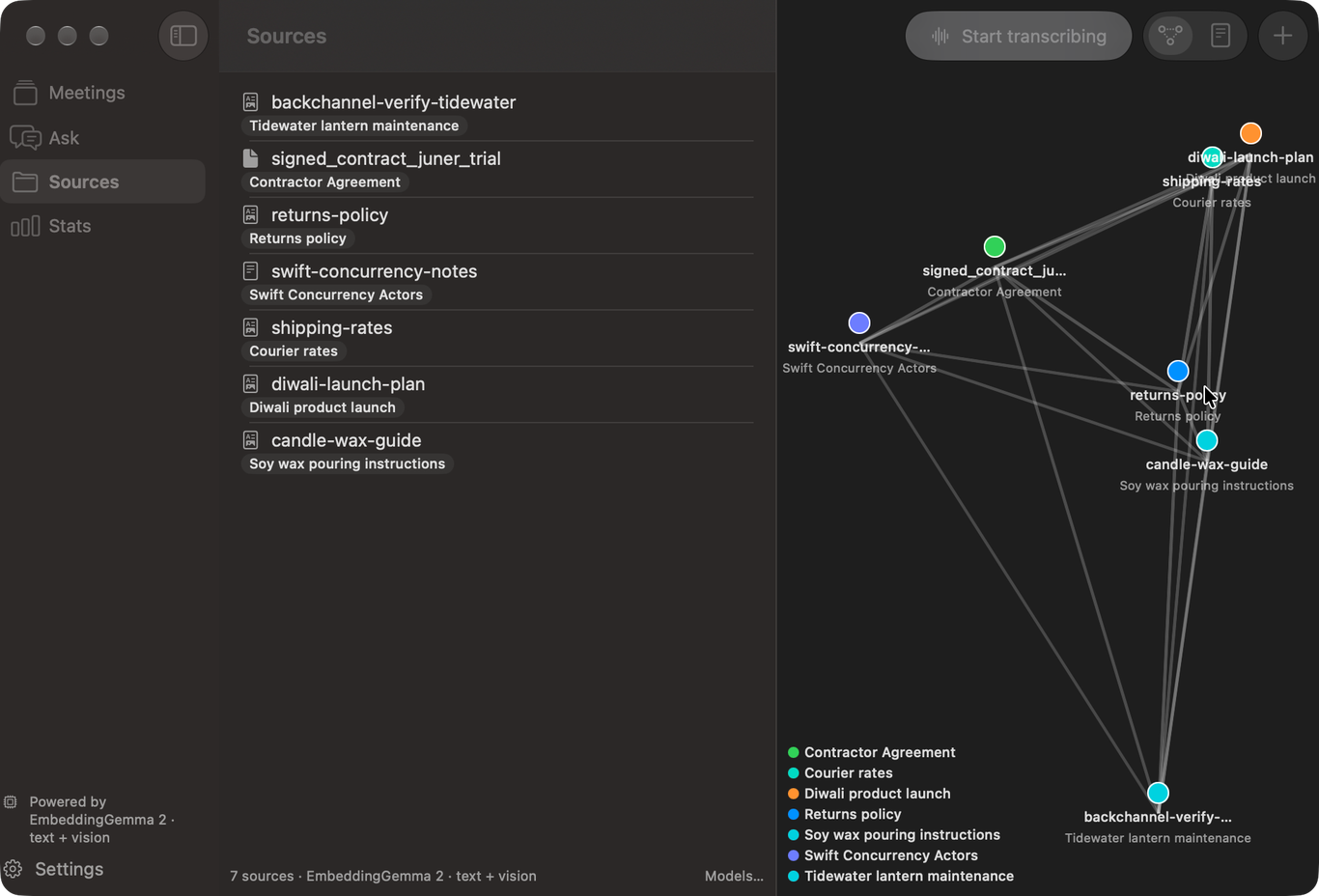
- Sources. Drop in Markdown, text, PDF or image files, or watch a folder. Scans and images go through OCR, and then every source is embedded and labelled on the device.
- Live Q&A. When someone asks a question during the meeting, Backchannel looks for the answer in your sources and shows it in a side pane while the conversation is still going.
- Ask. A chat over your sources and past meetings, for questions like "what did Alice say on Friday about pricing?" Answers cite the passages they used, like in the screenshot at the top.
How it works on one Mac
Everything runs in a single process, and most of it uses what macOS already ships.
Capturing both sides of the call
The microphone is captured with AVFoundation. For the other side of the call, I used a CoreAudio process tap, which lets an app record what the system is playing. Each stream goes through its own on-device SpeechAnalyzer pipeline, so your lines and the call's lines stay separate from the start.
Did you know? Process taps arrived in macOS 14.2. Before that, an app needed ScreenCaptureKit or a virtual audio driver like BlackHole to record what the Mac was playing.
Who said what
During the meeting, the system audio is also written to a 16 kHz WAV file. When you press Stop, FluidAudio's offline diarizer (pyannote segmentation and WeSpeaker embeddings on Core ML) splits that file by voice. Each transcript line takes the voice that overlaps it the most, and the voice embeddings are compared with the ones saved from earlier meetings.
Embeddings
Sources and meeting transcripts are embedded with Google's EmbeddingGemma 2 through MLX. The app downloads it on first launch, 320 MB for text or 514 MB if you also want images matched by what they show. If you switch models, everything gets re-embedded, because vectors from two different models can't be compared.
Finding the right passage
My first attempt was plain cosine similarity over the embeddings. It worked for broad questions, but as I soon found out, it missed the ones that hinge on a name or a date. "What did Alice say on Friday" doesn't mean much to an embedding.
So Ask now scores every passage twice, once with BM25 over the words and once with embedding similarity, and merges the two rankings with reciprocal rank fusion. Meeting transcripts are indexed in windows of about 900 characters, together with the summary, as soon as the meeting stops.
The language model
Labels, question spotting, summaries and chat use Apple's on-device foundation model by default. Its context window is only about 4,000 tokens, so long transcripts get summarised in windows and then merged. For chat and summaries you can pick something else:
- Gemma 4 E2B running locally through MLX (about 3 GB).
- Any OpenAI-compatible endpoint, such as Ollama or LM Studio on the same Mac.
If you add an API key, it's stored only in the login Keychain and sent only to that URL.
Storage
One SQLite file in ~/Library/Application Support/Backchannel/ holds sources, chunks, meetings, transcripts, speakers and answers. For a personal library, brute-force cosine over SQLite rows is fast enough, so there's no vector database to run. Want to start over? Delete the folder.
Small decisions that mattered
A chime instead of an auto-stop. Every 30 minutes the capsule plays a chime and asks "Keep going?". If you ignore it, nothing changes. The transcript only ends when you press Stop.
No spoken announcement. My first build spoke a notice when recording started. In real calls it was awkward, so I removed it. If you're taking notes, tell the people in the meeting yourself.
Testing a desktop app with an agent
Most of Backchannel was written with Claude Code. Unit tests cover the logic, but they can't tell me whether the Stop button works over a full-screen Zoom call. So the repository has a small skill that builds the app, launches it and clicks through the real interface using the macOS accessibility tree. Each feature has a written "journey" and a recorded proof of when it last passed. For me, a feature is done only when it worked in the app, not when it compiled.
Try it
You need an Apple-silicon Mac on macOS 27 or later. Apple Intelligence should be on for the default models, but transcription works without it. You can download the latest build or build it yourself:
git clone https://github.com/lazzyms/backchanel.git
cd backchanel
Scripts/install.sh
The source is on GitHub under the MIT license. I built it for myself first, but if you want meeting notes that stay on your Mac, give it a try and tell me what breaks.